When you click on links to various merchants on this site and make a purchase, this can result in this site earning a commission. Affiliate programs and affiliations include, but are not limited to, the eBay Partner Network.
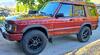
I have been working on this for a while now. I didn’t end up using the Compushift in my Discovery because it was going to be a fairly large modification. The biggest reason that I wanted the Compushift was so that I could modify the shift points of the ZF 4HP24 to better fit my rig and the LS. My rig is heavy, has tall tires, and is running standard gears. Land Rover tuned the ZF for fuel economy, so it drops the RPM down and locks the torque converter as quickly as possible. That’s fine, but I was driving around in sport mode all the time, and I thought the map could be improved a bit.
I built a small board using an Arduino to change what the computer was seeing. The board takes the signal after it goes through the ACE ECB box and changes it. The program, at certain times when the throttle is open, makes the throttle looks more open to the transmission. Other times, like idle and wide open, the signal is the same. Therefore, I don’t have to hold down the throttle as much to hold the gear. It took me a few weeks of trial and error to get the program dialed in to my Disco setup just how I wanted it.
The result is that the gears hold a bit longer before shifting. Also, the transmission does not go into fourth below 45 mph (which makes for more responsive driving on bigger tires). I also drive around in regular mode now most of the time. Sport mode is now a “Extra sport mode” and revs the engine higher. Since the LS likes to rev, it feels like it has more power, even though the power was always there. It does not change the max RPM cutoff. This probably negatively affected my around-town mileage a little, but its totally worth it to me. Highway mileage should be unaffected since it still goes into full lockup and 4th above 45 mph. I haven’t had any problems related to it and its been running on there for over 6 months now.
Happy to explain more or add some more pictures if others with LS Discos using ACE kit are interested. It probably wouldn't make as much of a difference to stock LS Discos, but I don't really know. It costs about $30-40 in parts and requires an afternoon with a soldering iron to build.
I would like to know more about this shifting modification that you developed. I've been running around on my ls swap for close to a year now and have never really liked how it shifted. Even in sport mode I feel it shifts into 4th gear too quick and locks the converter up too fast. Sounds like this modification gives a better all around drive-ability and would benefit anyone doing the swap.
I would like to know more about this shifting modification that you developed. I've been running around on my ls swap for close to a year now and have never really liked how it shifted. Even in sport mode I feel it shifts into 4th gear too quick and locks the converter up too fast. Sounds like this modification gives a better all around drive-ability and would benefit anyone doing the swap.
That is basically exactly what this aimed to change. I'll work on a write-up.
The original shift map was to optimize fuel economy over just about everything else I think. I think it works pretty well with the LS for the stock tire size. I think bigger tires are part of it. I'm sure that regearing would be another solution, but this was a lot cheaper than that.
I think this would be helpful for those of us not swapped on larger tires as well.
I don’t think it would work for factory Rover V8 setups because it is modifying signals that go to the engine computer as well as the transmission computer. I think would mess with fueling and air/fuel ratios on the engine side of things. But the changes are not huge, so it might still work - I am not sure.
Let me preface with a disclaimer: you should not attempt this if you have no experience with basic electronics, wiring, soldering breadboards, and basic programming! This is a substantial modification — I’m not responsible if you fry or toast something.
This is a simpler solution than the one shown above, which had some other stuff as well as this. See the picture below (not exactly representative, but close).
For this you will need these materials:
1 breadboard
1 Arduino Micro (other Arduinos will work too as long as software is configured)
1 DAC (rudimentarily made from an op-amp, 1 3.3 kohm resistor, 1 microFarad capacitor)
1 wiring connector with 4 wires that fit in the breadboard (so you can unplug) [red, black, green, blue]
1 set of header connectors (so you can separate Arduino from board)
Solder
At least 4 jumper wires
And these tools:
Soldering iron with small tip
Wire strippers
Wire crimpers
Building the board:
1. Put the header connectors on the bottom of the Arduino and place the Arduino on the breadboard so that you have access and can make connections to the pins on the bottom. Solder the header connectors to the board.
2. Solder your op-amp onto the board. The side with the dimple on it is the top. See the diagram for what needs to be soldered where. The red lines are places that you need to jump / couple the pins. The yellow circles are jumper wires to other spots on the board. Colored circles matches with the colors of the external connections below.
3. There are four external connections to the board:
Power (connect to Arduino VI pin, NOT 5V) (red), other side goes to C0636-10
Ground (black) to op-amp, other side goes to C0636-25
Signal In (green) to op-amp, other side - interrupt the ACE LR TS wire, connect to side from box
Signal Out (blue) from op-amp, other side - side of ACE LR TS wire, connect to side to ECU
5. Upload Arduino software using Arduino IDE with your computer and USB cable. PM me for the code. I am cleaning it up right now to make it easier to use / modify. I’ll plan to put together a software tutorial in a later post.
6. Put your board in a box for safekeeping, then connect up. Make sure that when you turn the key to position 2, the lights on the Arduino turn on. The Rover TCU will adjust to the new inputs over time. I tested this on an 02 TCU. The 03-04 TCUs are different (and in my experience, tend to upshift even earlier than the 99-02), so the settings may need to be upped to get more of an effect.
Let me preface with a disclaimer: you should not attempt this if you have no experience with basic electronics, wiring, soldering breadboards, and basic programming! This is a substantial modification — I’m not responsible if you fry or toast something.
This is a simpler solution than the one shown above, which had some other stuff as well as this. See the picture below (not exactly representative, but close).
For this you will need these materials:
1 breadboard
1 Arduino Micro (other Arduinos will work too as long as software is configured)
1 DAC (rudimentarily made from an op-amp, 1 3.3 kohm resistor, 1 microFarad capacitor)
1 wiring connector with 4 wires that fit in the breadboard (so you can unplug) [red, black, green, blue]
1 set of header connectors (so you can separate Arduino from board)
Solder
At least 4 jumper wires
And these tools:
Soldering iron with small tip
Wire strippers
Wire crimpers
Building the board:
1. Put the header connectors on the bottom of the Arduino and place the Arduino on the breadboard so that you have access and can make connections to the pins on the bottom. Solder the header connectors to the board.
2. Solder your op-amp onto the board. The side with the dimple on it is the top. See the diagram for what needs to be soldered where. The red lines are places that you need to jump / couple the pins. The yellow circles are jumper wires to other spots on the board. Colored circles matches with the colors of the external connections below.
3. There are four external connections to the board:
Power (connect to Arduino VI pin, NOT 5V) (red), other side goes to C0636-10
Ground (black) to op-amp, other side goes to C0636-25
Signal In (green) to op-amp, other side - interrupt the ACE LR TS wire, connect to side from box
Signal Out (blue) from op-amp, other side - side of ACE LR TS wire, connect to side to ECU
5. Upload Arduino software using Arduino IDE with your computer and USB cable. PM me for the code. I am cleaning it up right now to make it easier to use / modify. I’ll plan to put together a software tutorial in a later post.
6. Put your board in a box for safekeeping, then connect up. Make sure that when you turn the key to position 2, the lights on the Arduino turn on. The Rover TCU will adjust to the new inputs over time. I tested this on an 02 TCU. The 03-04 TCUs are different (and in my experience, tend to upshift even earlier than the 99-02), so the settings may need to be upped to get more of an effect.
Aaron, how much for a turn key solution? PM me please 😂
This is incredible. I have just completed swapping my 2003 D2 with an LQ9 6.0 engine using the ACE kit. Along with most others who have done this swap, I love everything about it but the shifting leaves something to be desired. I am 100% interested in a turn-key solution. Would you mind to send me a PM if this is something you would be willing/able to do?



 Disco 2 LS Swap Shift Points Mod