When you click on links to various merchants on this site and make a purchase, this can result in this site earning a commission. Affiliate programs and affiliations include, but are not limited to, the eBay Partner Network.
Planning a summer trip in the National Forests of New Mexico and Colorado. Will be away from cell range (a lot, I hope . I realize that GPS signal is independent of cell signal, but when using GAIA on my D110 SE 11.4" screen over CarPlay from my phone, should I expect any GPS signal issues? I will download the maps of where I'll be ahead of time. I figure the shark fin is just for the Pivi Pro navigation system and the iPhone/CarPlay is using the iPhone's built-in GPS chip.
My friend is in his older Jeep and says he needs a GPS puck to help with his reception.
I'm sure this overloading community can answer this quickly. Thanks
Not sure if Gaia is being used on your phone, tethered to the Defender, or if you have it on a dedicated iPad (with or without a data plan). Each will come up with a different option. I'll stick to the easy one: on your phone. If not, just tether to your phone rather than the Defender's data plan.
Interestingly, you do NOT need cell service to get a GPS signal on your cell phone. I believe the same is true for your Defender's data, but not sure. Also, you don't need a cell subscription to call 911 (in the US), but that's a different matter. Gaia is a great app. It allows you the ability to download maps/map segments. So, just download where you plan to be, and your cell phone's GPS will serve you just fine. I do it this way a LOT.
There are other off-road specific apps that can be recommended, but I'm a huge Gaia fan and you'll love it. Good luck.
If using the Phone app (similar on the iPad) do these.
1) Starting with the app, go to where you plan to go off the grid.
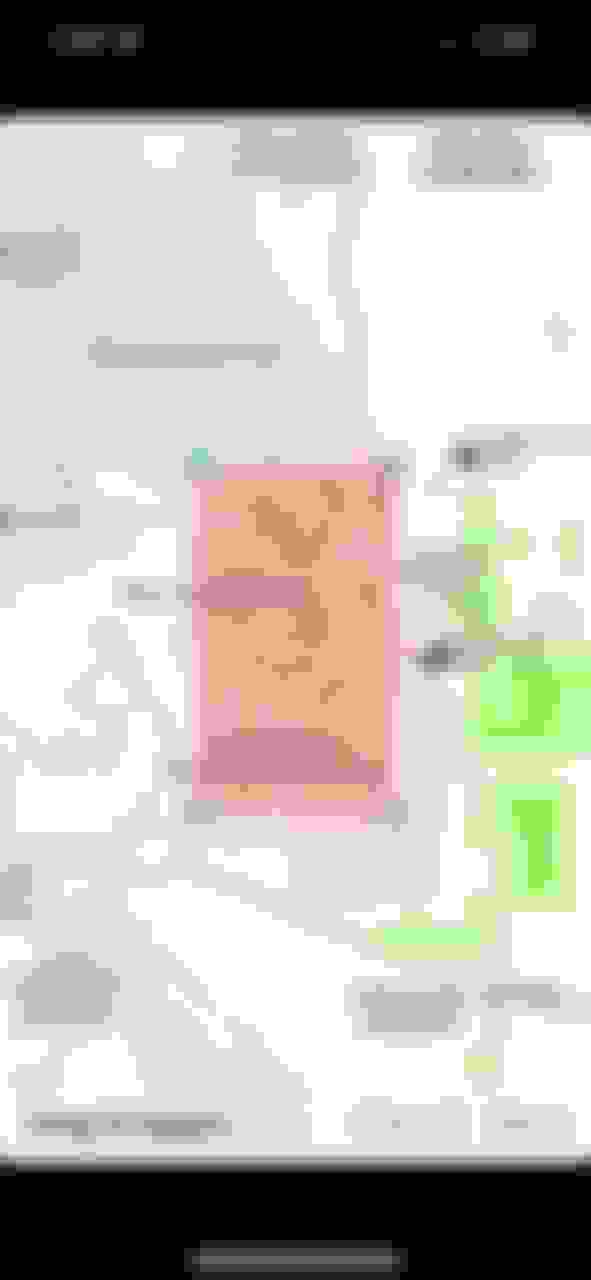
2) In the upper right corner, choose those stacked rectangles. That usually lets you choose what type of map to see. Then, scroll to the bottom to "Download Maps".
3. Select the area in red you want to download. Obviously, the bigger the area the more storage. You will save the map and then be good to go when you are at the map location. This works awesome hiking as well. I use this feature a lot.
Oops. My bad. Didn't really read thru your entire post. Let me add some other thoughts. Two things re: your ACTUAL question (pays to re-read when I'm not skimming):
1. The antenna for the SIM/native nav of the Defender is in the Fin. As long as that is clear, you should get a GPS signal for your native apps or maybe JLR data plan.
2. Not sure about the SE, but I have the X-Dynamic HSE and it has a cell charger in the center console area. If you have the same, you are GOOD TO GO. That cell charger also doubles as a cell booster. The antennae is outside the Defender, 3M'd to the inside of your left rear light cluster. Well actually the plastic cover on the left rear corner that covers your brake/turn signal. As long as you aren't into deep forest, that should also serve as a GPS point. I'm pretty sure that it will also help with the GPS signal.
However, it wouldn't be a bad idea to bring one "just in case"!
Good luck and enjoy the trip!
Last edited by GrouseK9; Mar 11, 2022 at 03:45 PM.
I've got a July trip to SW Colorado and SE Utah on the books. Twill be my first Defender journey of note. Also, I'm planning to do some of the big CO off-road passes. They're always closed when I typically to to Utah, March, April or October/November.
So... using Gaia (which I love...!) I've definitely screwed myself a bit in the woods of Washington/Oregon and in the Cascades where there's no reception, and gotten lost. So be aware... I couldn't figure out how to just get GPS on the iPhone without also having cellular signal ...(full disclosure: didn't really make an effort to figure it out yet either)
The GPS as others have said will work just fine. Admittedly I use Android and my Garmin Tred is my back up when out and about. I back up data to both devices so there is no concern and I have these weird paper things and compass if it all goes very sideways
^^Paper maps and a compass should always be in your trucks when traveling miles in the backcountry.^^ Technology could/will fail at some point and it's usually when you are in the middle of nowhere.
Most map apps will allow you to download maps and use when not connected to data. As mentioned above, GPS should still work even when not connected to any data. I’ve done this frequently with Gaia, AllTrails, and Google. If you have the correct map downloaded, you should still get turn by turn directions in addition to visually place yourself in the map.
The interface with Gaia isn’t intuitive, but it has much better off-road trail mapping than Google.




 GPS reception with Gaia in backcountry
 . I realize that GPS signal is independent of cell signal, but when using GAIA on my D110 SE 11.4" screen over CarPlay from my phone, should I expect any GPS signal issues? I will download the maps of where I'll be ahead of time. I figure the shark fin is just for the Pivi Pro navigation system and the iPhone/CarPlay is using the iPhone's built-in GPS chip.