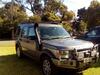


Operation Magpie.



Did this today.. #fixed.


Failure to Start - "Passive Immobilization" Enabled
AFFECTED VEHICLE RANGE:
Discovery Series II (LT) All
SITUATION:
VEHICLE MAY NOT CRANK AFTER BEING UNLOCKED
The customer may complain that occasionally the vehicle will not crank. This may be because the Non-NAS Passive Immobilization feature has been accidentally turned on in production or during repair operations.
If Passive Immobilization is enabled, the vehicle will immobilize itself if the ignition key is not turned to position "II" or the engine is not started within 30 seconds of unlocking the vehicle. With the ignition key in position "II", the vehicle will show that it is in the immobilized state by illuminating the alarm LED continuously. The engine will not crank if the ignition key is turned in an attempt to start the engine.
RESOLUTION:
REPLACE BCU WITH NEW OR RE-PROGRAMMED UNIT
To turn off the Passive Immobilization feature, replace the BCU with a new unit ensuring that the proper installation procedure is followed. Alternatively, after contacting the LRNA HelpLine send the original BCU to Land Rover to be re-programmed and install the re-programmed unit ensuring that the proper installation procedure is followed.
PARTS INFORMATION:
YWC000310 BCU
WARRANTY CLAIMS:
86.55.75 Time 0.50 hrs.
Install new or re-programmed BCU
FAULT CODE: A
Normal warranty policy and procedures apply
REPAIR PROCEDURE
SYMPTOM VERIFICATION OF ACTIVATED PASSIVE IMMOBILIZATION
1. Unlock the vehicle and wait one minute.
2. With the ignition off, verify that the anti-theft alarm LED in the instrument pack blinks slowly.
3. Turn the ignition key to position "II" and verify the alarm LED is on continuously. This indicates an immobilized condition.
4. Check that Passive Immobilization is on by attempting to start the vehicle with the LED on continuously.
5. If the vehicle does not start, confirm that Passive Immobilization is turned on as follows:
^ Turn off ignition and remove the key.
^ Press the unlock button on the plip once.
^ Attempt to restart the vehicle within 30 seconds.
^ If the vehicle starts normally, Passive Immobilization is activated. The BCU must be replaced or reprogrammed by Land Rover after contacting the LRNA HelpLine.
TESTBOOK VERIFICATION OF ACTIVATED "PASSIVE IMMOBILIZATION"
NOTE: The Bosch Engine Management ECU may flag a P1668 Fault Code if an attempt to start the vehicle is made when Passive Immobilization is activated. This will only be evident by interrogating the Bosch Engine Management ECU with TestBook. The fault will not turn on the Check Engine (MIL) lamp.
1. Using TestBook, verify Passive Immobilization is enabled as follows:
^ Select Vehicle Configuration.
^ Select Dealer Configuration.
^ Select "CLASS" (Corporate Locking and Alarm Security Strategy).
^ Note the status of Passive Immobilization.
2. If Passive Immobilization shows "Disabled" the setting is correct for North American vehicles and the no-start/no-crank condition has another cause.
3. If Passive Immobilization shows "Enabled" the BCU must be replaced to provide the customer with the standard North American configuration. Two options are available:
^ Return BCU to Land Rover for reprogramming and install the reprogrammed BCU with proper menu selections.
^ Install a new BCU from parts inventory and install with proper menu selections as outlined in TIB 86/03/01/NAS.
4. Call the Land Rover Technical HelpLine for approval before you replace a BCU or ship a BCU to Land Rover.
OPTION 1: RE-PROGRAM EXISTING BCU TO TURN OFF PASSIVE IMMOBILIZATION
NOTE: Because the "Passive Immobilization" is a security-related feature, there is no way to turn off this feature with TestBook. Land Rover has the ability to perform this function using special software. Land Rover will FedEx the BCU back to the retailer on the day received.
1. Verify that the ignition switch is in the OFF position.
CAUTION: The negative cable removal must be performed within 30 seconds of pressing the plip button.
2. Perform the following steps within 30 seconds:
^ Press the unlock button on the plip.
^ Immediately remove the negative battery cable from the battery.
3. Refer to the Workshop Manual and remove the BCU from the vehicle.
4. Send the BCU via FedEx to Land Rover North America Inc. for reprogramming and return.
5. Refer to the Workshop Manual and install the re-programmed BCU.
OPTION 2: INSTALL NEW BCU TO TURN OFF PASSIVE IMMOBILIZATION
CAUTION: When installing a new BCU, the default is "Passive Armed." Failing to follow the BCU installation/replacement process correctly could cause Passive Immobilization to be turned on again.
1. Refer to the Workshop Manual and install a new BCU.
2. Refer to TIB 86/03/01/NAS and follow the installation/replacement procedure carefully to ensure that the BCU is installed correctly and that "Passive" is turned OFF.
__________________
AFFECTED VEHICLE RANGE:
Discovery Series II (LT) All
SITUATION:
VEHICLE MAY NOT CRANK AFTER BEING UNLOCKED
The customer may complain that occasionally the vehicle will not crank. This may be because the Non-NAS Passive Immobilization feature has been accidentally turned on in production or during repair operations.
If Passive Immobilization is enabled, the vehicle will immobilize itself if the ignition key is not turned to position "II" or the engine is not started within 30 seconds of unlocking the vehicle. With the ignition key in position "II", the vehicle will show that it is in the immobilized state by illuminating the alarm LED continuously. The engine will not crank if the ignition key is turned in an attempt to start the engine.
RESOLUTION:
REPLACE BCU WITH NEW OR RE-PROGRAMMED UNIT
To turn off the Passive Immobilization feature, replace the BCU with a new unit ensuring that the proper installation procedure is followed. Alternatively, after contacting the LRNA HelpLine send the original BCU to Land Rover to be re-programmed and install the re-programmed unit ensuring that the proper installation procedure is followed.
PARTS INFORMATION:
YWC000310 BCU
WARRANTY CLAIMS:
86.55.75 Time 0.50 hrs.
Install new or re-programmed BCU
FAULT CODE: A
Normal warranty policy and procedures apply
REPAIR PROCEDURE
SYMPTOM VERIFICATION OF ACTIVATED PASSIVE IMMOBILIZATION
1. Unlock the vehicle and wait one minute.
2. With the ignition off, verify that the anti-theft alarm LED in the instrument pack blinks slowly.
3. Turn the ignition key to position "II" and verify the alarm LED is on continuously. This indicates an immobilized condition.
4. Check that Passive Immobilization is on by attempting to start the vehicle with the LED on continuously.
5. If the vehicle does not start, confirm that Passive Immobilization is turned on as follows:
^ Turn off ignition and remove the key.
^ Press the unlock button on the plip once.
^ Attempt to restart the vehicle within 30 seconds.
^ If the vehicle starts normally, Passive Immobilization is activated. The BCU must be replaced or reprogrammed by Land Rover after contacting the LRNA HelpLine.
TESTBOOK VERIFICATION OF ACTIVATED "PASSIVE IMMOBILIZATION"
NOTE: The Bosch Engine Management ECU may flag a P1668 Fault Code if an attempt to start the vehicle is made when Passive Immobilization is activated. This will only be evident by interrogating the Bosch Engine Management ECU with TestBook. The fault will not turn on the Check Engine (MIL) lamp.
1. Using TestBook, verify Passive Immobilization is enabled as follows:
^ Select Vehicle Configuration.
^ Select Dealer Configuration.
^ Select "CLASS" (Corporate Locking and Alarm Security Strategy).
^ Note the status of Passive Immobilization.
2. If Passive Immobilization shows "Disabled" the setting is correct for North American vehicles and the no-start/no-crank condition has another cause.
3. If Passive Immobilization shows "Enabled" the BCU must be replaced to provide the customer with the standard North American configuration. Two options are available:
^ Return BCU to Land Rover for reprogramming and install the reprogrammed BCU with proper menu selections.
^ Install a new BCU from parts inventory and install with proper menu selections as outlined in TIB 86/03/01/NAS.
4. Call the Land Rover Technical HelpLine for approval before you replace a BCU or ship a BCU to Land Rover.
OPTION 1: RE-PROGRAM EXISTING BCU TO TURN OFF PASSIVE IMMOBILIZATION
NOTE: Because the "Passive Immobilization" is a security-related feature, there is no way to turn off this feature with TestBook. Land Rover has the ability to perform this function using special software. Land Rover will FedEx the BCU back to the retailer on the day received.
1. Verify that the ignition switch is in the OFF position.
CAUTION: The negative cable removal must be performed within 30 seconds of pressing the plip button.
2. Perform the following steps within 30 seconds:
^ Press the unlock button on the plip.
^ Immediately remove the negative battery cable from the battery.
3. Refer to the Workshop Manual and remove the BCU from the vehicle.
4. Send the BCU via FedEx to Land Rover North America Inc. for reprogramming and return.
5. Refer to the Workshop Manual and install the re-programmed BCU.
OPTION 2: INSTALL NEW BCU TO TURN OFF PASSIVE IMMOBILIZATION
CAUTION: When installing a new BCU, the default is "Passive Armed." Failing to follow the BCU installation/replacement process correctly could cause Passive Immobilization to be turned on again.
1. Refer to the Workshop Manual and install a new BCU.
2. Refer to TIB 86/03/01/NAS and follow the installation/replacement procedure carefully to ensure that the BCU is installed correctly and that "Passive" is turned OFF.
__________________
Made some notes in red..
Also don't have Testbook so can't do it that way..
Tried unplugging the ground for several hours and nothing changed.
Also don't have Testbook so can't do it that way..
Tried unplugging the ground for several hours and nothing changed.
Failure to Start - "Passive Immobilization" Enabled
AFFECTED VEHICLE RANGE:
Discovery Series II (LT) All
SITUATION:
VEHICLE MAY NOT CRANK AFTER BEING UNLOCKED
The customer may complain that occasionally the vehicle will not crank. This may be because the Non-NAS Passive Immobilization feature has been accidentally turned on in production or during repair operations.
If Passive Immobilization is enabled, the vehicle will immobilize itself if the ignition key is not turned to position "II" or the engine is not started within 30 seconds of unlocking the vehicle. With the ignition key in position "II", the vehicle will show that it is in the immobilized state by illuminating the alarm LED continuously. The engine will not crank if the ignition key is turned in an attempt to start the engine.
THE LED DOES NOT BLINK AT ALL WHEN CAR IS UNLOCKED AND KEY IS IN POSITION 2
RESOLUTION:
REPLACE BCU WITH NEW OR RE-PROGRAMMED UNIT
To turn off the Passive Immobilization feature, replace the BCU with a new unit ensuring that the proper installation procedure is followed. Alternatively, after contacting the LRNA HelpLine send the original BCU to Land Rover to be re-programmed and install the re-programmed unit ensuring that the proper installation procedure is followed.
PARTS INFORMATION:
YWC000310 BCU
WARRANTY CLAIMS:
86.55.75 Time 0.50 hrs.
Install new or re-programmed BCU
FAULT CODE: A
Normal warranty policy and procedures apply
REPAIR PROCEDURE
SYMPTOM VERIFICATION OF ACTIVATED PASSIVE IMMOBILIZATION
1. Unlock the vehicle and wait one minute.
2. With the ignition off, verify that the anti-theft alarm LED in the instrument pack blinks slowly.
3. Turn the ignition key to position "II" and verify the alarm LED is on continuously. This indicates an immobilized condition.
4. Check that Passive Immobilization is on by attempting to start the vehicle with the LED on continuously.
5. If the vehicle does not start, confirm that Passive Immobilization is turned on as follows:
^ Turn off ignition and remove the key.
^ Press the unlock button on the plip once. (PLIP -- is the key fob? I don't have one that works.)
^ Attempt to restart the vehicle within 30 seconds.
^ If the vehicle starts normally, Passive Immobilization is activated. The BCU must be replaced or reprogrammed by Land Rover after contacting the LRNA HelpLine.
AFFECTED VEHICLE RANGE:
Discovery Series II (LT) All
SITUATION:
VEHICLE MAY NOT CRANK AFTER BEING UNLOCKED
The customer may complain that occasionally the vehicle will not crank. This may be because the Non-NAS Passive Immobilization feature has been accidentally turned on in production or during repair operations.
If Passive Immobilization is enabled, the vehicle will immobilize itself if the ignition key is not turned to position "II" or the engine is not started within 30 seconds of unlocking the vehicle. With the ignition key in position "II", the vehicle will show that it is in the immobilized state by illuminating the alarm LED continuously. The engine will not crank if the ignition key is turned in an attempt to start the engine.
THE LED DOES NOT BLINK AT ALL WHEN CAR IS UNLOCKED AND KEY IS IN POSITION 2
RESOLUTION:
REPLACE BCU WITH NEW OR RE-PROGRAMMED UNIT
To turn off the Passive Immobilization feature, replace the BCU with a new unit ensuring that the proper installation procedure is followed. Alternatively, after contacting the LRNA HelpLine send the original BCU to Land Rover to be re-programmed and install the re-programmed unit ensuring that the proper installation procedure is followed.
PARTS INFORMATION:
YWC000310 BCU
WARRANTY CLAIMS:
86.55.75 Time 0.50 hrs.
Install new or re-programmed BCU
FAULT CODE: A
Normal warranty policy and procedures apply
REPAIR PROCEDURE
SYMPTOM VERIFICATION OF ACTIVATED PASSIVE IMMOBILIZATION
1. Unlock the vehicle and wait one minute.
2. With the ignition off, verify that the anti-theft alarm LED in the instrument pack blinks slowly.
3. Turn the ignition key to position "II" and verify the alarm LED is on continuously. This indicates an immobilized condition.
4. Check that Passive Immobilization is on by attempting to start the vehicle with the LED on continuously.
5. If the vehicle does not start, confirm that Passive Immobilization is turned on as follows:
^ Turn off ignition and remove the key.
^ Press the unlock button on the plip once. (PLIP -- is the key fob? I don't have one that works.)
^ Attempt to restart the vehicle within 30 seconds.
^ If the vehicle starts normally, Passive Immobilization is activated. The BCU must be replaced or reprogrammed by Land Rover after contacting the LRNA HelpLine.

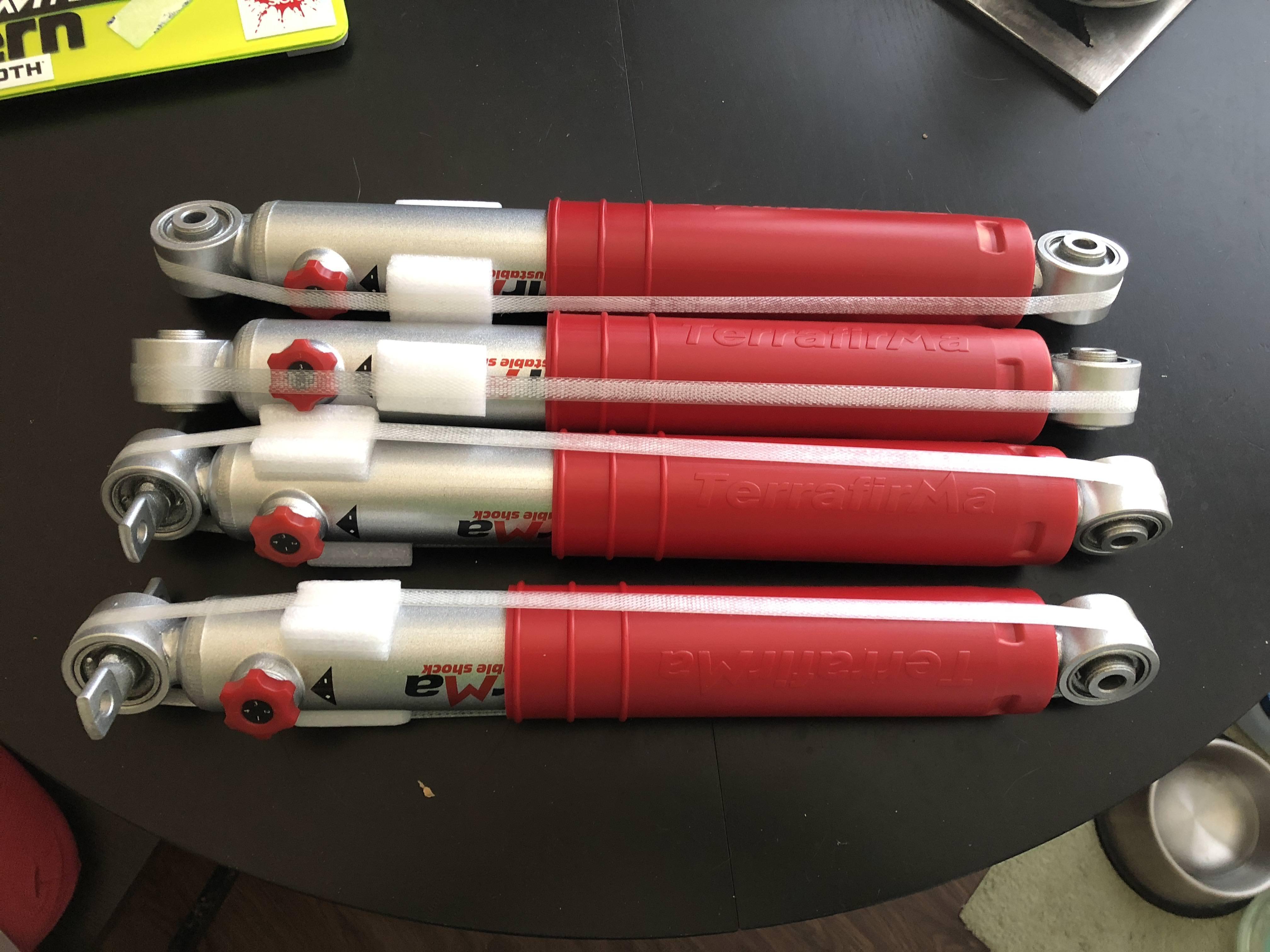
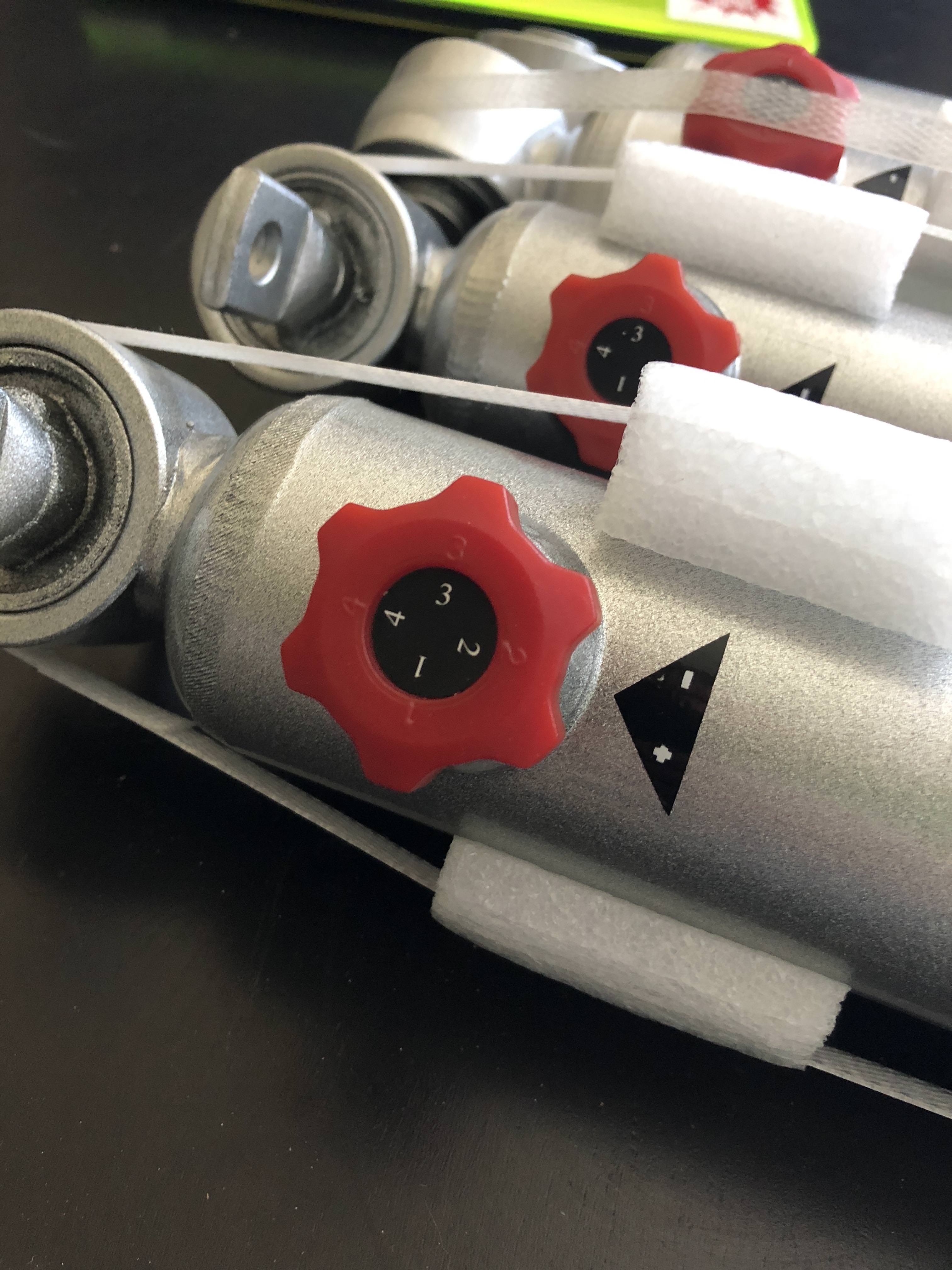
Just got off the phone with Eric from Lucky8 -- Placed and order for some TF Pro Sport shocks. I had found a sticker on one of the springs currently installed, Eric helped me figure out that I have apparently a set of D1 OME 2" springs which gives me a 3" or more lift
Also got a new expansion tank and cap!
Still havent gotten MagPie to work -- waiting on a CPS from Napa..
Also got a new expansion tank and cap!
Still havent gotten MagPie to work -- waiting on a CPS from Napa..