


How can I disable the parking camera without losing TPMS


Thread Starter
|
2nd Gear
Joined: Jun 2022
Posts: 2
Likes: 0
 How can I disable the parking camera without losing TPMS
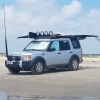
On my '08 LR3 HSE, I installed a Terrafirma swing-away spare tire carrier. The parking camera sounds off when I put it in reverse because the third rear camera from the left, as seen in the live values on the GAP tool, is being triggered. I went into the tool to change the CCF to indicate that parking camera is 'not fitted' per customer support. That doesn't work. Customer support then advised that I could disconnect the module altogether by going deep into one of the pillars - I tried this and quickly aborted as I could see this was going to cause more problems than it was going to solve. I've settled for removing fuse 36 to disable the camera which, unfortunately, also disables the TPMS. Is there any way to disable the rear parking camera without losing the TPMS? I guess I could remove the rear bumper, remove the third camera, and put the bumper back on. Is there a simpler option? Thanks!

Baja
Joined: Nov 2017
Posts: 5,094
Likes: 983
From: Green Bay, WI
Does the CFF have an option for reversing camera instead? I wonder if both are enabled, parking and reverse, when fitting. So *maybe* disabling just the reversing camera option would work? Not sure as I am not too familiar with the surround camera system.
Baja
Joined: Nov 2017
Posts: 5,094
Likes: 983
From: Green Bay, WI
Well in fairness, the GAP people kinda dont really help much. They generally refer everyone to the Disco UK forum. I would just poke around the CFF and see what is all listed camera-wise for sure. There has to be a way to disable the camera/reverse function. I am not sure if it would work, but maybe you could go the towing package route. With the towing package, the vehicle disables rear parking sensors when a trailer is hooked up. So maybe you could set the configuration for towing then jumper a wire off the factory harness to make it think its towing. The thing is, I am not sure it would work because the truck may look for trailer light functions, etc and fault out. Plus the transmission profile is different when towing - just tossing the idea out though since it may do the trick. I have tinkered in the CFF a lot, so I know there are tons of ways to edit things. Its how I added my rear camera and such.
Recovery Vehicle
Joined: Jul 2013
Posts: 825
Likes: 133
From: Collins, Missouri
I read on a thread either here or the DISCO 3 UK forum some time ago where they simply put a round piece of electrical tape up against the parking sensor that is just below the swing out spare tire. I tried this on the 07 and it worked "sometimes" and other times it faulted out. Cheap and worth a try.
It was about 4 or 5 years ago I think. I will try to find the original thread.
Jeff
It was about 4 or 5 years ago I think. I will try to find the original thread.
Jeff
Recovery Vehicle
Joined: Jul 2013
Posts: 825
Likes: 133
From: Collins, Missouri
I do need more sleep, but...........
 I am pretty sure it is the sensors causing the problem.
As described in the D4 service manual page 3290 in the rear view camera description of operation (my D3 manual was printed before 2008 so no camera info in it, so I may not have the best information)
The rear view images are overlaid with:
Dashed lines representing the perimeter of the vehicle.
Solid lines representing the predicted trajectory of the vehicle; calculated from the steering wheel angle sensor.
Coloured bars representing the distance between the vehicle and the object being approached.
Working in conjunction with the rear parking aid sensors, this adds a visual representation to the existing audible warning. The distance data is received from the PACM (parking aid control module) via the MS CAN
General Disclaimer: I could be Wrong
Jeff

Winching
Joined: Feb 2016
Posts: 523
Likes: 119
From: Beaumont, CA