


Nanocom needed in Dinnington area (rotherham)


Thread Starter
|
4th Gear
Joined: Aug 2018
Posts: 4
Likes: 0
 Nanocom needed in Dinnington area (rotherham)
Been having trouble with my 2001 Disco 2 for a few days now, the alarm constantly going off and needing to extract the EKA code from it..
I've rang a few places and no one seems to be able to help so hopefully a nanocom can fix this issue once and for all >.<
any help is appreciated and am willing for pay for your time / expertise to get this resolved
I'm on Church Lane in Dinnington if anyones close by?
I've rang a few places and no one seems to be able to help so hopefully a nanocom can fix this issue once and for all >.<
any help is appreciated and am willing for pay for your time / expertise to get this resolved
I'm on Church Lane in Dinnington if anyones close by?
Camel Trophy
Joined: May 2016
Posts: 3,969
Likes: 859
From: Britainistan, UK
Just an FYI... a Foxwell NT510 (now NT520) diagnostic tester can also get you the EKA Code. Plus it allows you to personally change it to a new code that you can remember.
Try 1515 or 1414(?). I know 1515 is the standard EKA code for North American Discos so it may not work for your UK Disco.
From the RAVE manual:
"The code is recorded on the security information card and is entered as follows:
When the 5 minute wait has elapsed, the alarm indicator LED stops flashing. Immediately open the door, insert the key in the ignition switch and turn the switch to position II. If the ignition switch is not turned to position II within 30 seconds of the end of the 5 minute wait, the engine is automatically immobilised again.
The EKA code will not be recognised if there is an interval of 10 seconds or more between key turns or if the key is held turned for 5 seconds or more during the procedure.
In some system configurations a successful EKA code entry is indicated by the audible warning device pulsing twice for a period of 50 ms on, 200 ms off. The theft deterrent LED is switched on for 1 second, all doors unlock, the alarm disarms and the vehicle is remobilised allowing the engine to start.
If an incorrect code is entered, an audible warning is emitted and the procedure must be repeated. Up to a maximum of 10 attempts to enter the code is possible. After 10 attempts, the BCU will not allow any further codes to be entered for a period of 10 minutes."
Try 1515 or 1414(?). I know 1515 is the standard EKA code for North American Discos so it may not work for your UK Disco.
From the RAVE manual:
"The code is recorded on the security information card and is entered as follows:
- Using the key, turn the driver's door lock to the UNLOCK position and hold in this position for at least 5 seconds. An audible warning is then emitted to indicate that the body control unit is ready to accept the code. Return the key to the centre position. It is now possible to use the key to enter the separate numerical values of the four digits that make up the EKA code.
- Enter the first digit of the code. If the first digit is 4, turn the key to the UNLOCK position 4 times. Ensure the key is fully returned to the centre position after each turn of the key.
- Enter the second digit of the code. If the second digit is 3, turn the key to the LOCK position 3 times. Ensure the key is fully returned to the centre position after each turn of the key.
- Enter the third digit of the code. If the third digit is 2, turn the key to the UNLOCK position twice. Ensure the key is fully returned to the centre position after each turn of the key.
- Enter the fourth digit of the code. If the fourth digit is 1, turn the key to the LOCK position once. Ensure the key is fully returned to the centre position after each turn of the key.
- Finally, turn the key to the UNLOCK position and back to the centre position, a double bleep will indicate that the code has been entered correctly. A single bleep indicates that the code has been entered incorrectly.
When the 5 minute wait has elapsed, the alarm indicator LED stops flashing. Immediately open the door, insert the key in the ignition switch and turn the switch to position II. If the ignition switch is not turned to position II within 30 seconds of the end of the 5 minute wait, the engine is automatically immobilised again.
The EKA code will not be recognised if there is an interval of 10 seconds or more between key turns or if the key is held turned for 5 seconds or more during the procedure.
In some system configurations a successful EKA code entry is indicated by the audible warning device pulsing twice for a period of 50 ms on, 200 ms off. The theft deterrent LED is switched on for 1 second, all doors unlock, the alarm disarms and the vehicle is remobilised allowing the engine to start.
If an incorrect code is entered, an audible warning is emitted and the procedure must be repeated. Up to a maximum of 10 attempts to enter the code is possible. After 10 attempts, the BCU will not allow any further codes to be entered for a period of 10 minutes."
Last edited by JUKE179r; Aug 13, 2018 at 08:53 AM.
Thread Starter
|
4th Gear
Joined: Aug 2018
Posts: 4
Likes: 0
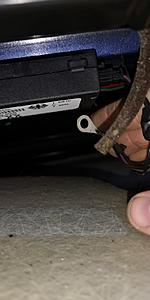
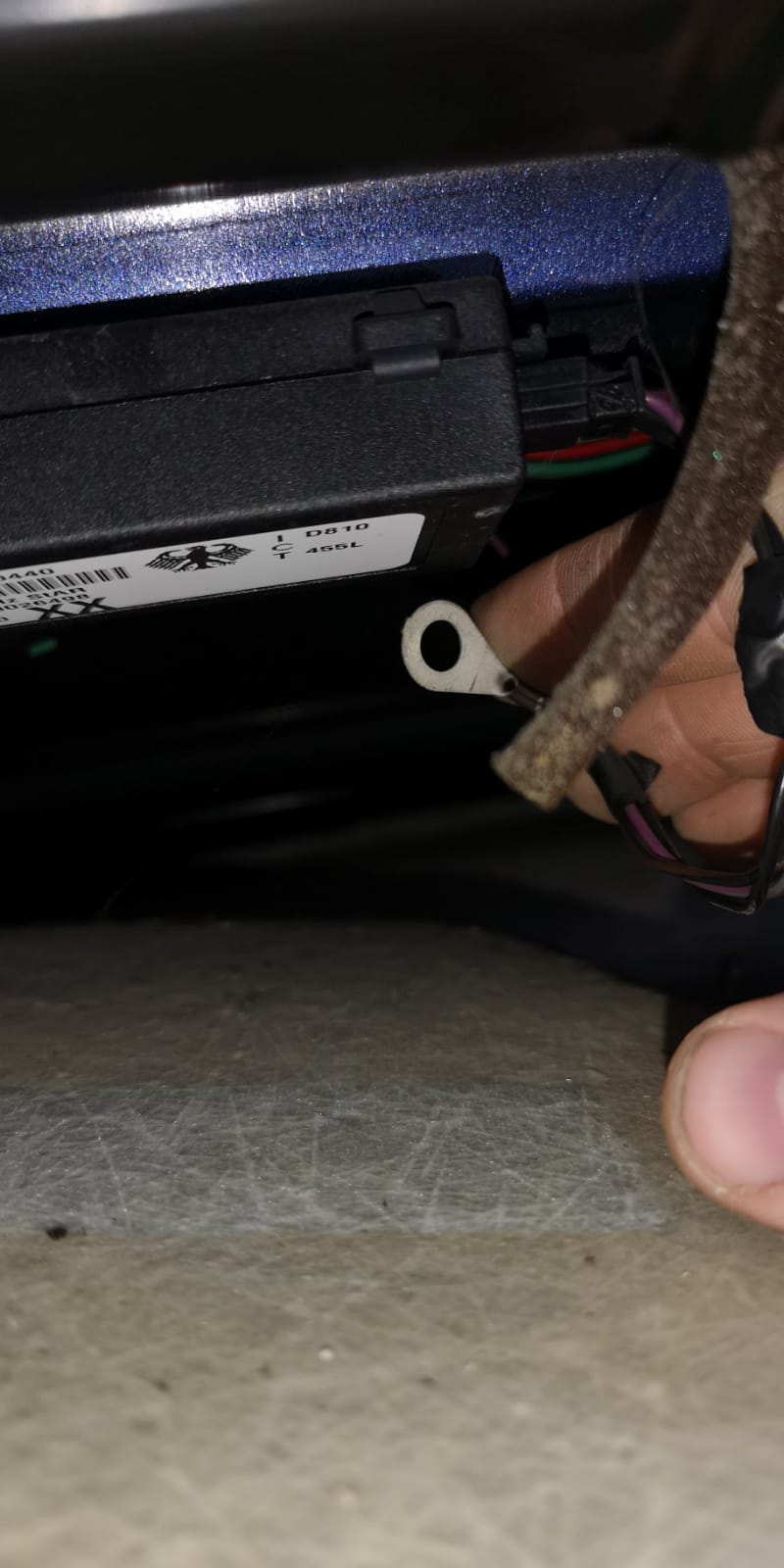
Yes I've attempted both 1515 and 1414 with no luck, I'm now attempting to get to the remote receiver box in case it's anything to do with the earth as I've read somewhere it sometimes can, the only thing I see when looking is this cable that's not attached anywhere.. but I'm not sure where it would go either way
Thread Starter
|
4th Gear
Joined: Aug 2018
Posts: 4
Likes: 0
so after speaking to landrover for an hour I managed to get the EKA code and Immobiliser code.. but I'm unsure if it's right as it's in letter form
EKA E7BB IMMOBILISER 7754
would the EKA equate to 14-7-11-11 ??
EKA E7BB IMMOBILISER 7754
would the EKA equate to 14-7-11-11 ??


Recovery Vehicle
Joined: Mar 2016
Posts: 856
Likes: 154
Hold on there big fella
If all else fails just swap out your ecu, bcu, gauge cluster from a junker.
Take a breath and think it thru.
Is it an SAI version? If it is I will send you a set for shipping costs.
If all else fails just swap out your ecu, bcu, gauge cluster from a junker.
Take a breath and think it thru.
Is it an SAI version? If it is I will send you a set for shipping costs.

Thread
Thread Starter
Forum
Replies
Last Post
southfloridadiscoII
Discovery II
33
Aug 29, 2025 07:10 PM
