When you click on links to various merchants on this site and make a purchase, this can result in this site earning a commission. Affiliate programs and affiliations include, but are not limited to, the eBay Partner Network.
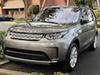
Traded in my '16 LR4 Landmark for a '19 HSE Lux. Dynamic package, Heads up-display, etc. -- tons of cool technology over the LR4.
Most everything has been pretty intuitive to setup/configure -- except I thought it would have "remote seats", where you can fold the rear seats up/down from the InControl Remote app; however, there's no such option in my app. Anyone else have that feature and can shed some light?
Congrats!!! Took me a while to get used to the menus and features on the D5.
My Remote App initially didn't have the remote seat folding feature, but after an update on the phone it magically appeared after I signed in again. I think the phone app is v1.72(147).
Perhaps turn the D5 off, sign out and close the app and then open and sign in again. It seems to take a while for things to get set properly as I assume a lot of the functions are set through the LR site, i.e. App --> LR Site/DB --> D5. Which is a bit nuts vs just having a few more buttons on a remote, as I doubt any of this will work if the D5 is out of cell range.
Congrats!!! Took me a while to get used to the menus and features on the D5.
My Remote App initially didn't have the remote seat folding feature, but after an update on the phone it magically appeared after I signed in again. I think the phone app is v1.72(147).
Perhaps turn the D5 off, sign out and close the app and then open and sign in again. It seems to take a while for things to get set properly as I assume a lot of the functions are set through the LR site, i.e. App --> LR Site/DB --> D5. Which is a bit nuts vs just having a few more buttons on a remote, as I doubt any of this will work if the D5 is out of cell range.
great idea! I just tried but no dice. I might uninstall and reinstall the app in a bit and see if that makes a difference. Just to confirm: does remote seat have its own “page” as you swipe left and right through the app, like auto climate, journeys, etc?
it took me forever to find the option to auto enable the front parking sensors when you get below 12 mph. Still not sure if I could get back to it in under a minute. Lol
Yes to the page question. When I go in on mine there are 6 pages:
1 - summary
2 - climate / auto start
3 - remote seats
4 - journeys
5 - assistance
6 - settings
Yes to the page question. When I go in on mine there are 6 pages:
1 - summary
2 - climate / auto start
3 - remote seats
4 - journeys
5 - assistance
6 - settings
Yep - missing #3. I uninstalled and reinstalled. I'll ask the "Encore" guy.
Others already answered to the page for seats as you swipe. Mine didn't have it originally, but it then appeared later. Unfortunately I don't know exactly what changes happened for it to show. I did have some SW updates to my '19 when I took it in in late Nov and had to re log in to the remote App as well.
Traded in my '16 LR4 Landmark for a '19 HSE Lux. Dynamic package, Heads up-display, etc. -- tons of cool technology over the LR4.
Most everything has been pretty intuitive to setup/configure -- except I thought it would have "remote seats", where you can fold the rear seats up/down from the InControl Remote app; however, there's no such option in my app. Anyone else have that feature and can shed some light?
landmarks have held there value well...mostly I think becuase ALOT of people don’t like the looks of the new disco.
Had a hood sensor replaced in the first year; car thought the hood was open and couldn’t lock the doors. And the auto start/stop quit working 3 times. Hate that feature but also hated the car having something wrong, so got it fixed each time (under warranty). That’s about it. Great car. Traded in with 16,700 miles. Basically new.




 New '19 Disco HSE Lux