When you click on links to various merchants on this site and make a purchase, this can result in this site earning a commission. Affiliate programs and affiliations include, but are not limited to, the eBay Partner Network.
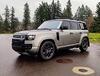
I just got a 2022 Defender 110 XS and love it. After reading every review online, I bought it out of state and had it delivered. Since there was no one to go through it with me, I’ve had to figure everything out myself which has been very easy. However, I can’t figure out a couple little things: Apple CarPlay? Sometimes it’s there and sometimes not… sometimes it just pops up automatically other times I have to go into the app page and select. It’s usually at the upper left, when it’s not there it’s says Accounts. The other thing is on the top of the screen where it has total miles driven, sometimes it has distance to empty and sometimes it’s not there… any ideas? I’ve had it one week and 500 miles. It’s exceeded my expectations in every way so far, a great highway cruiser! Thanks in advance.
Apple CarPlay only works if you have a USB/tethered. I don't know why they do that, same in my wife's Volvo, my Tahoe, etc. It's really a PIA. I can imagine it's an Apple Requirement for some stupid reason. The mileage is part of your Trip. You can toggle thru the options from the end of the left stick off of the steering wheel. The one with the light options on it. I recommend downloading the Land Rover app with the Owner's Manual. It's super easy to look stuff up on it. In fact, I could get the image from there but it's taking too long to find it on my laptop to post the image here.
EDIT: Sent it from my phone. It's here and this (Download the iGuide). Good visual search.
And the note re: CarPlay. I especially like the part about "...designed to minimize distraction...". Like PiviPro is LESS obtrusive/distracting than CarPlay. HA HA HA....
Last edited by GrouseK9; Jun 21, 2021 at 06:58 AM.




 Couple little things