


Not the Blower Motor, transistor?


No clue, I must have been exhausted at night reading the forums or something haha.
By the way I realized when my AC/Heat doesn't blow my rear windows stop working. But when it kicks on the windows are functioning again. Weird Rover..
By the way I realized when my AC/Heat doesn't blow my rear windows stop working. But when it kicks on the windows are functioning again. Weird Rover..

Mudding
Joined: Aug 2014
Posts: 211
Likes: 19
From: Cottage Grove, MN
I'm reviving this thread.
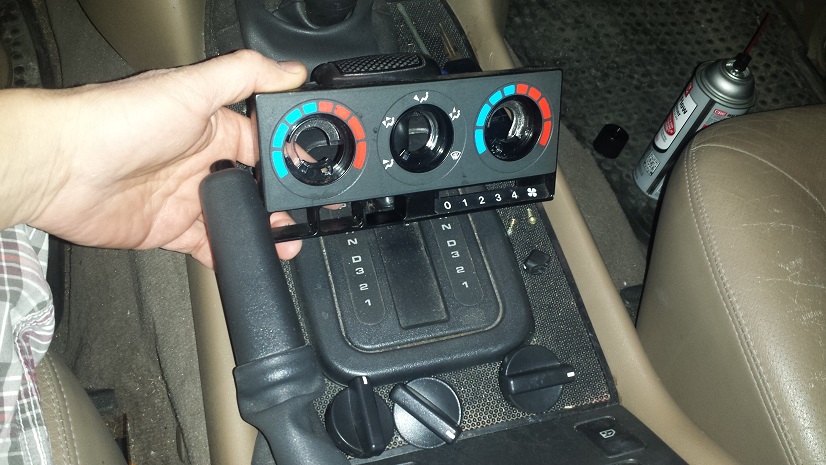
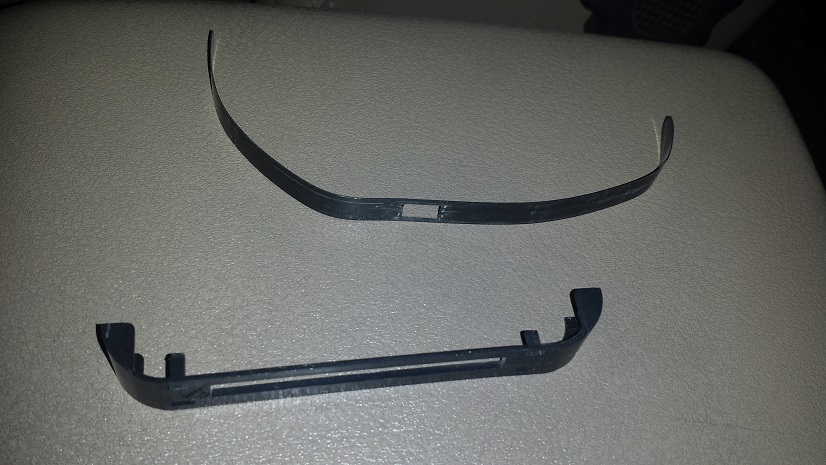
How in the world does that climate control come out of the dash???
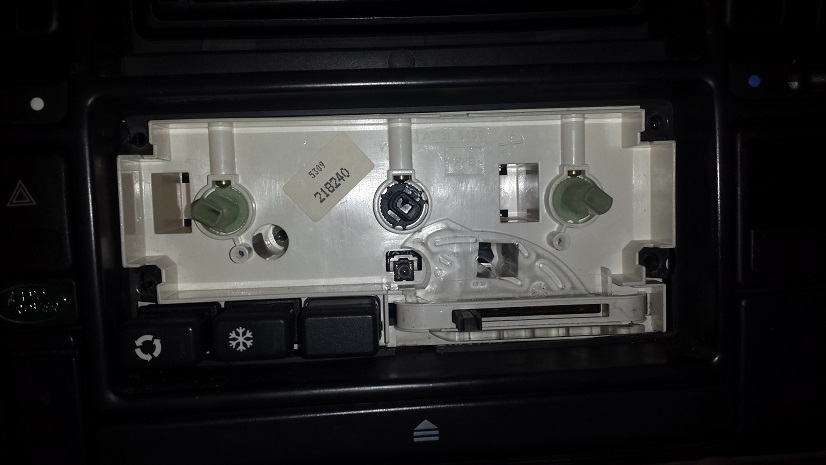
I got the trim cover off and took the 4 screws out behind that but can't figure out how it comes out. In my efforts to try to wriggle it out, I broke off two of the little tabs that help to hold it in place. (eeek!)

I'd love to take my blower switch apart and see if I could get it working better.
Thanks!
How in the world does that climate control come out of the dash???
I got the trim cover off and took the 4 screws out behind that but can't figure out how it comes out. In my efforts to try to wriggle it out, I broke off two of the little tabs that help to hold it in place. (eeek!)
I'd love to take my blower switch apart and see if I could get it working better.
Thanks!
Last edited by notny41; Mar 29, 2017 at 08:42 AM.

TReK
Joined: Feb 2013
Posts: 2,514
Likes: 656

You still need to remove the center dash panel
 . Let the fun begin!
Here is a good look of what you will need to do (forget all the "spider" BS) > Discovery 1 spider/centre dash removal

Winching
Joined: Jun 2015
Posts: 554
Likes: 94
From: Huntsville, AL
I have taken the blower switch apart a couple of times. Watch out for the wee springs! Mine had gotten crispy hot at the elec. connector. Inside of the switch was a nasty greenish color. Cleaned it with some 00 steel wool. Works pretty good. Still have to jiggle it now and again. Bought a rear climate switch control out of a D2. Same blower switch. Going to swap them out when I get motivated.
Mudding
Joined: Aug 2014
Posts: 211
Likes: 19
From: Cottage Grove, MN
Well I finally got my dash apart and the switch out (thought I was going to break something pulling that switch out).
Here is what it looked like right after I took the cover off:


After hitting it with a couple shots of MAF cleaner, the blue arrows (above) show the line of plastic that had melted and kind of mushroomed up. On the right hand side (right next to the rivet) some plastic looked like had been covering the contacts up. I ended up scraping that off with a jackknife.
I removed the plastic ridge from that channel with an exacto knife (hard to tell, but the picture below shows a much cleaner set of contacts).
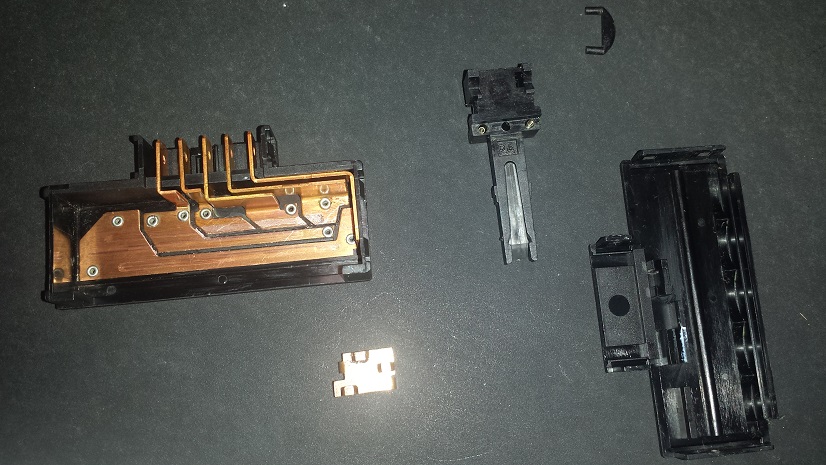
Then I put it all back together and tested each of the contacts with a multimeter. All seemed good. Put the switch and dash back together and it works beautifully! The one thing I don't have still is fan on the lowest setting. I have a feeling my fan is kind of gummed up and that lowest setting just doesn't have enough juice to get it spinning. That's probably why there was so much heat built up to melt some of that plastic too. So I may be looking at my fan motor at some time.
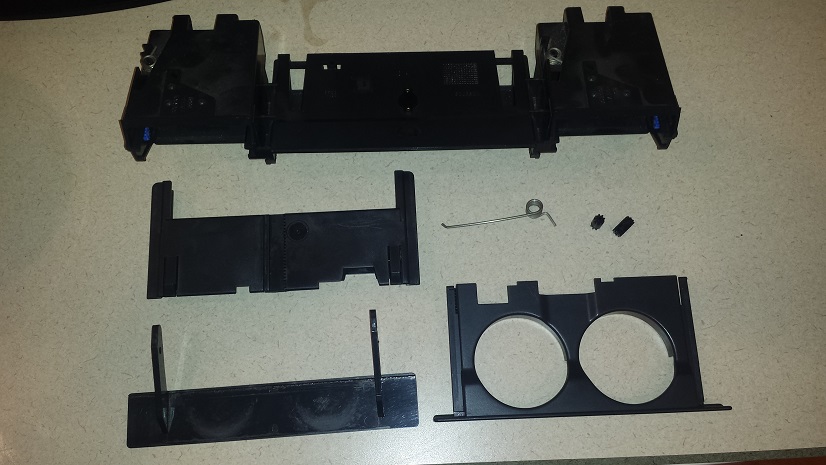
Also when putting everything back, I somehow managed to disassemble my cup holder. I was able to get it back together but then it would not go in far enough to latch. It took me a really long time to figure out how to put it back together so it worked but I finally figured it out. Oh well, it gave me a good reason to clean all of the pieces before putting them back together - there was some serious gummy crap on some of those pieces too...
Thanks for all of the help on the switch and console pieces!
Here is what it looked like right after I took the cover off:
After hitting it with a couple shots of MAF cleaner, the blue arrows (above) show the line of plastic that had melted and kind of mushroomed up. On the right hand side (right next to the rivet) some plastic looked like had been covering the contacts up. I ended up scraping that off with a jackknife.
I removed the plastic ridge from that channel with an exacto knife (hard to tell, but the picture below shows a much cleaner set of contacts).
Then I put it all back together and tested each of the contacts with a multimeter. All seemed good. Put the switch and dash back together and it works beautifully! The one thing I don't have still is fan on the lowest setting. I have a feeling my fan is kind of gummed up and that lowest setting just doesn't have enough juice to get it spinning. That's probably why there was so much heat built up to melt some of that plastic too. So I may be looking at my fan motor at some time.
Also when putting everything back, I somehow managed to disassemble my cup holder. I was able to get it back together but then it would not go in far enough to latch. It took me a really long time to figure out how to put it back together so it worked but I finally figured it out. Oh well, it gave me a good reason to clean all of the pieces before putting them back together - there was some serious gummy crap on some of those pieces too...
Thanks for all of the help on the switch and console pieces!
Last edited by notny41; Mar 29, 2017 at 11:13 PM.

Mudding
Joined: Aug 2014
Posts: 211
Likes: 19
From: Cottage Grove, MN
Pulled the blower motor out tonight. There were a few leaves stuck in the fins of the fan, but not just too bad. The motor seemed like it was a little sticky when I turned it. I found the access door to the inside of the motor and squirted some white lithium grease on the shaft where the bearing is.

Then I drilled a small hole big enough to get the straw of the white lithium grease thru so I could get some grease down into the other bearing/shaft too.

The drum seemed to move a little easier, but after putting the blower back on the car, I still don't have any fan on position 1 of my switch. I'm fine with that so long as 2, 3, and 4 work well.
Then I drilled a small hole big enough to get the straw of the white lithium grease thru so I could get some grease down into the other bearing/shaft too.
The drum seemed to move a little easier, but after putting the blower back on the car, I still don't have any fan on position 1 of my switch. I'm fine with that so long as 2, 3, and 4 work well.
Last edited by notny41; Mar 31, 2017 at 12:57 AM.

Thread
Thread Starter
Forum
Replies
Last Post
